
How to Choose a Baby Monitor: A Complete Guide for Families in Thailand
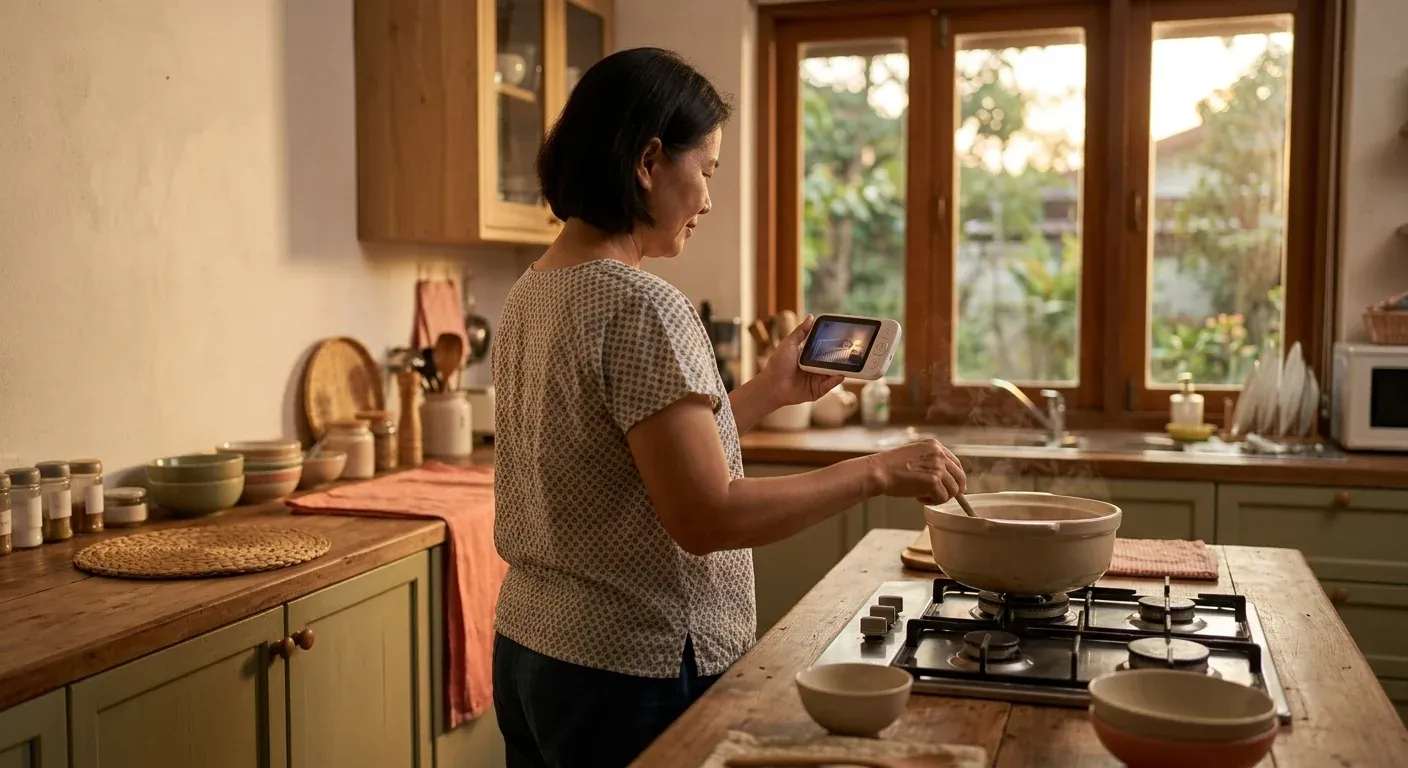
A baby monitor is a convenience device, not a medical device — what actually reduces SIDS risk is a safe sleep environment.
A baby monitor lets you hear or see your baby from another room while you cook, rest, or do laundry. It is a tool for caregiver peace of mind — not a device that prevents Sudden Infant Death Syndrome (SIDS).
Understanding that distinction before you shop is the single most useful thing this guide can offer.
This guide covers: monitor types · the AAP position on vital-sign monitors · WiFi vs local-only · features worth evaluating · Thailand-specific context (condo WiFi, power outages, multi-generational households).
1. Baby Monitor Types — Know Before You Buy
Audio-Only Monitor
One-way audio from the baby's room to a parent unit. The most affordable and simplest type. Works without internet, has no complex setup, and runs for years on low maintenance. The parent unit is handheld and portable.
Best for: Parents who stay in the same building, grandparents who prefer simple devices, and anyone who only needs to hear if the baby cries.
Audio + Lullaby / White Noise
Same as audio-only but with a speaker in the camera unit. Can play lullabies or white noise for the baby from the parent unit. A useful comfort feature without adding complexity.
Dedicated Screen Video Monitor (Local-Only)
A camera in the baby's room paired with a dedicated handheld parent screen. No internet required — the signal travels between camera and screen over encrypted radio (FHSS or DECT). Range is typically 30–100 metres depending on walls and building materials.
Best for: Families who want visual confirmation of sleep position, parents who want privacy without cloud exposure, and anyone in a building with unreliable WiFi.
Limitations: Can't view from outside the home. Parent must carry the unit.
WiFi Smartphone-Based Monitor
A camera that connects to your home WiFi and streams to a smartphone app. Can be viewed from anywhere with an internet connection. Multiple viewers can connect simultaneously, and most models record clips to a cloud subscription.
Best for: A parent who commutes to an office and wants to check in remotely. Or households where both parents are working from different locations.
Limitations: Has meaningful cybersecurity risk (see Section 4). Usually requires a monthly subscription for cloud clip storage. Dependent on stable WiFi. Dependent on the manufacturer keeping servers online.
Hybrid (Local + Optional WiFi)
Operates primarily as a local system but unlocks a WiFi view-from-anywhere mode as a secondary option. Represents the best trade-off for most families.
Wearable Vital-Sign Monitors (Pulse-Ox / Heart-Rate)
Important — read Section 2 before considering a purchase.
These devices attach to the baby (sock style, leg band, or under-mattress sensor) and measure blood oxygen saturation and heart rate. The category includes smart socks, clip-on pulse oximeters, and sensor pad mats.
AAP does not recommend these for healthy infants — full explanation in Section 2.
2. The AAP Position on Vital-Sign Monitors — What You Need to Know
This is the most important section of this guide. If you are considering a wearable monitor that measures oxygen or heart rate, read this first.
AAP (American Academy of Pediatrics) states clearly in A Parent's Guide to Safe Sleep [1]:
"Don't use home cardiorespiratory monitors as a way to reduce the risk of SIDS. You can buy consumer wellness devices such as heart rate and pulse oximetry monitors. Some of these are wearable. But remember that there is no evidence that these devices decrease SIDS risk. Don't let them give you a false sense of security."
What this means in practice:
- These devices are consumer wellness products, not FDA-cleared medical devices. They do not have to meet the same standards as medical equipment.
- There is no clinical evidence they reduce SIDS in healthy infants.
- False alarms are common and well-documented. Repeated false alarms increase parental anxiety without improving outcomes.
- They can create a dangerous illusion of safety: parents who believe a device is monitoring the baby may be less vigilant about the actual safe-sleep practices that do work.
High-risk infants are a separate category: An infant with a specific respiratory or cardiac condition may be prescribed a clinical-grade cardiorespiratory monitor by a paediatrician. That is a medical device dispensed under clinical supervision — not a consumer product from a retail shelf.
Bottom line: If you are buying a monitor to prevent SIDS, you are buying the wrong product. What prevents SIDS is a safe sleep environment following the ABCs of safe sleep [1] [2]. For the full safe sleep guide, see Safe Sleep for Babies.
3. Features to Evaluate for Audio and Video Monitors
Once you have ruled out vital-sign wearables, here is what to look for in audio and video monitors.
Range
- 1–2 bedroom condo: 30–50 m is usually adequate.
- Multi-storey house: aim for 50–100 m or more.
- Concrete walls significantly reduce range. Test before committing if possible.
Parent Unit Battery Life
Look for at least 8–10 hours between charges. Voice-activated (VOX) mode — where the unit only activates when it detects sound — extends battery life substantially.
Encryption and Privacy
- Local (DECT/FHSS): Uses inherently encrypted radio protocols. Passive interception is very difficult.
- WiFi: The app should use HTTPS. Your router should support WPA3 (minimum WPA2). See Section 4 for the full security checklist.
Night Vision Quality
Infrared cameras with a range of 4–5 metres or more allow you to see your baby's position and breathing clearly in a dark room. The image will be greyscale. Look for clean, high-contrast images rather than blurry grey smears.
Two-Way Talk
Useful from around 3–6 months when you can soothe a baby with your voice. Newborns don't respond to voice from a speaker the same way, so this is less critical for the first weeks.
Temperature and Humidity Sensor
Particularly valuable in Thailand. Lets you check the room temperature without walking in. The AAP recommends a room temperature of 20–22°C for safe sleep; in Bangkok conditions, many families run AC to 24–26°C — having an in-room sensor means you can adjust without a physical check.
Lullaby / White Noise
Useful comfort feature for many families. Not essential.
Pan, Tilt, and Zoom
Lets you follow a baby who is rolling or moving across the cot without entering the room. Becomes more useful from around 4 months onward when babies start repositioning in sleep.
Multiple Camera Support
For families with more than one child, or who want to monitor a baby in one room and a toddler in another.
Camera Battery Backup
Relevant for Bangkok families. Brief power outages — particularly during the rainy season (May–October) — are common. A camera with a built-in battery stays live for a period after the mains goes out.
4. WiFi vs Local-Only — The Decision That Matters Most
Local-Only (DECT / Dedicated Radio)
Advantages:
- No internet exposure. Nobody outside your home can see the feed.
- No monthly subscription fee.
- Works during an internet outage.
- Not dependent on the manufacturer's server infrastructure — the system keeps working even if the company closes.
Limitations:
- Cannot view from outside the home.
- Parent unit must stay within signal range.
- Most models do not record clips.
WiFi Smartphone-Based
Advantages:
- View from anywhere — office, mall, hospital, another city.
- Multiple caregivers can view simultaneously.
- Most models record and store clips for review.
Limitations:
- Cybersecurity risk. WiFi cameras connected to the internet have been compromised in widely reported cases [3]. An attacker who gains access can view the live feed from your baby's room.
- Requires stable home WiFi.
- Usually requires a subscription for cloud storage.
- Dependent on the manufacturer maintaining the app and servers.
WiFi Security Checklist (if you choose a WiFi monitor)
- Change the default password immediately. Factory defaults are publicly known and the first thing any attacker tries.
- Use a router that supports WPA3, or at minimum WPA2-AES.
- Set up a dedicated IoT network on the 2.4 GHz band, separate from your main devices.
- Update the camera firmware whenever the manufacturer releases an update.
- Never share the feed link or screenshots publicly on social media.
Bangkok Condo Context
Many Bangkok condominiums provide building-wide shared WiFi that is shared among many units and unreliable for continuous video streaming. If you live in a condo and want a WiFi monitor, verify that you have a private router (your own username, password, and IP space — not the building's communal network). The 2.4 GHz band penetrates concrete walls better than 5 GHz for this use case. A local-only monitor avoids all of these complications entirely.
5. Thailand-Specific Considerations
Heat and Ventilation
Cameras and WiFi equipment generate heat during continuous operation. In Bangkok's climate:
- Mount cameras in positions with airflow — not tight corners or enclosed shelves.
- Some units throttle performance or restart spontaneously in sustained high ambient temperatures.
- Check the operating temperature specification before buying, especially for equipment in rooms without consistent air-conditioning.
Power Outages
Bangkok and other Thai cities experience occasional brief power outages, especially during the May–October rainy season. Consider:
- A camera with a built-in battery backup covers brief outages.
- Local-only monitors with battery-powered parent units continue to operate if the camera has backup.
- A small UPS (uninterruptible power supply) on the camera outlet is an affordable way to protect against momentary drops.
Power Adapter Voltage
Thailand runs at 220V/50Hz. Verify that the device's power adapter states "100–240V input" (universal) before purchasing. Monitors sold for the US market (110V only) require a step-down transformer. Adapters sold in Thailand should be compatible by default — check the label when ordering internationally.
Multi-Generational Households
Many Thai families share caregiving responsibilities across generations. A baby monitor can make this work well:
- A grandparent in another room can monitor from the parent unit without being physically present — particularly helpful for night shifts.
- Older caregivers often prefer audio-only models for their simplicity. An audio-only unit requires no app, no smartphone, and no WiFi setup.
- If multiple caregivers need to watch simultaneously, a hybrid model with both a local parent unit and an optional WiFi app — or a WiFi model with multi-user access — supports this well.
Privacy note: In a shared multi-generational home, discuss camera placement before installation. Agree on who has access and on what terms. Do not position cameras to cover adult private spaces. Transparency between household members matters for everyone's comfort.
6. Decision Framework
Questions to Ask Before You Buy
1. What exactly do you need from a monitor?
- Hear crying from another room → a basic audio monitor is enough.
- See the baby's sleep position → local video monitor.
- Watch from work or another location → WiFi (with the security measures in Section 4 applied).
2. How large is the space? How many concrete walls? Manufacturers' range claims are measured in open air. Expect real-world range in a concrete condo to be 40–60% of the stated spec.
3. Who are all the caregivers? Test the interface with every person who will use it — especially older caregivers who may be unfamiliar with smartphone apps. If the monitor is confusing, it won't get used.
4. Is your WiFi reliable enough for continuous video? Test by streaming a high-definition video call continuously for 30 minutes from the room where the camera would go. If the connection drops, a WiFi monitor will frustrate you.
The Convenience vs Anxiety Trade-Off
Watching a live video feed continuously — especially late at night — can increase parental anxiety rather than reduce it. AAP specifically cautions against letting monitoring devices create a false sense of security [1]. The right way to frame a baby monitor: it lets you be in another room with confidence that you will hear or see something if needed — not a tool for constant surveillance.
Budget Priorities
Before upgrading to a premium monitor, confirm you have covered the genuinely protective basics:
- A safe, firm sleep surface (no pillows, blankets, bumpers, or stuffed animals in the cot).
- A cot that meets a recognised safety standard (slat spacing ≤6 cm, stable frame, fitted sheet only).
These items protect your baby. A baby monitor makes caregiving more convenient. Invest in the protective items first. See also: Nursery Essentials Checklist.
Budget tiers found in the Thai market (descriptive framing only):
- Budget tier — audio-only, basic function.
- Mid-range tier — local video monitor, night vision, temperature sensor.
- Premium tier — WiFi, high-resolution, remote viewing, clip recording.
- Avoid for healthy infants — wearable vital-sign monitors (AAP does not recommend).
Summary
A good baby monitor is the one that fits how your household actually works — not the one with the most features or the biggest brand. Choose local for simplicity and privacy. Choose WiFi if remote access is a genuine need, and apply the security checklist rigorously.
Above all: remember that a baby monitor is a convenience device. The thing that keeps your baby safe during sleep is a safe sleep environment following the ABCs of safe sleep [1] — Alone, Back, Crib. No monitor changes that.
แหล่งอ้างอิง
- AAP HealthyChildren — A Parent's Guide to Safe Sleep. Explicitly states: 'Don't use home cardiorespiratory monitors as a way to reduce the risk of SIDS.' And: 'there is no evidence that these devices...decrease SIDS risk. Don't let them give you a false sense of security.' Consumer wellness pulse-ox and heart-rate wearables are not held to medical-device standards and have no proven SIDS-prevention benefit for healthy infants.
- AAP — Safe Sleep. AAP safe sleep resource hub covering SIDS reduction through evidence-based sleep environment and position guidance.
- US CPSC — Consumer Product Safety Commission. CPSC provides safety guidance on nursery products including cord strangulation hazards from baby monitor power cords. All monitor cords must be kept at least 1 metre (about 3 feet) from any infant sleep surface.
- Thai Department of Health (กรมอนามัย) — Thai government health authority for child and maternal health.
- Royal College of Pediatricians of Thailand (ราชวิทยาลัยกุมารแพทย์แห่งประเทศไทย) — Thai pediatric authority.